
How the image was created:
a Dremel Tool shot
By Jeff Creech (www.jeffcreech.com)
When I heard the topic for this month’s Studio Photography Insights was “Hand Tools,” I knew that it was going to be challenging. Although tools are certainly considered products, it is a genre of product photography that I personally have no experience. I rooted around my garage and wandered upon a Dremel tool that appeared to be in fairly good shape. After brainstorming ideas for quite some time, I finally settled on a concept where I would show the product in use. I knew certain accessories added to the Dremel would allow it to create sparks and I made this the central concept of the photo. The original idea for my photo can be seen below.
The Dremel Tool, variant 1
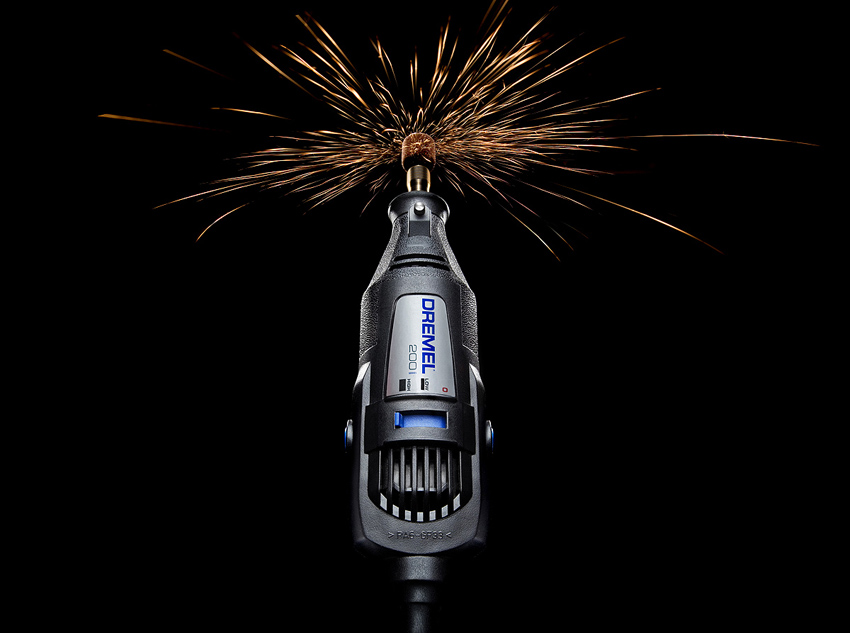
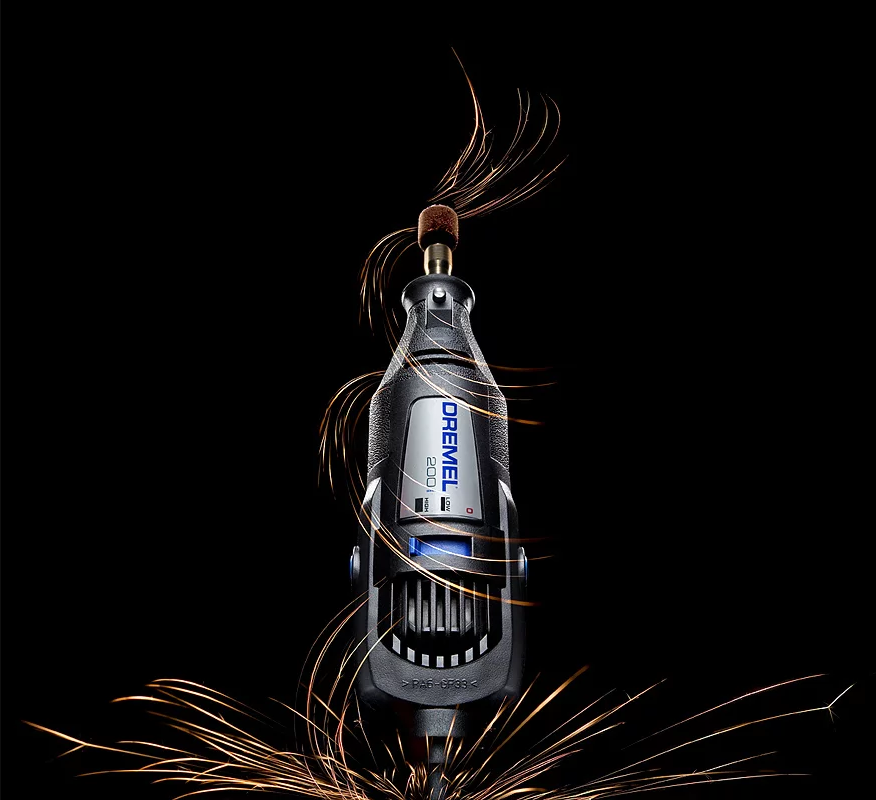
It was only after I had photographed everything, that I decided to manipulate the sparks into the spiral seen in the final image. Although I think the original is more effective as a product shot, the spiral image creates more interest compositionally.
The Dremel Tool, variant 2
In the video at the top of this post, I’ll walk you through the original concept for my photos, the lighting setup, and the creation of the sparks.
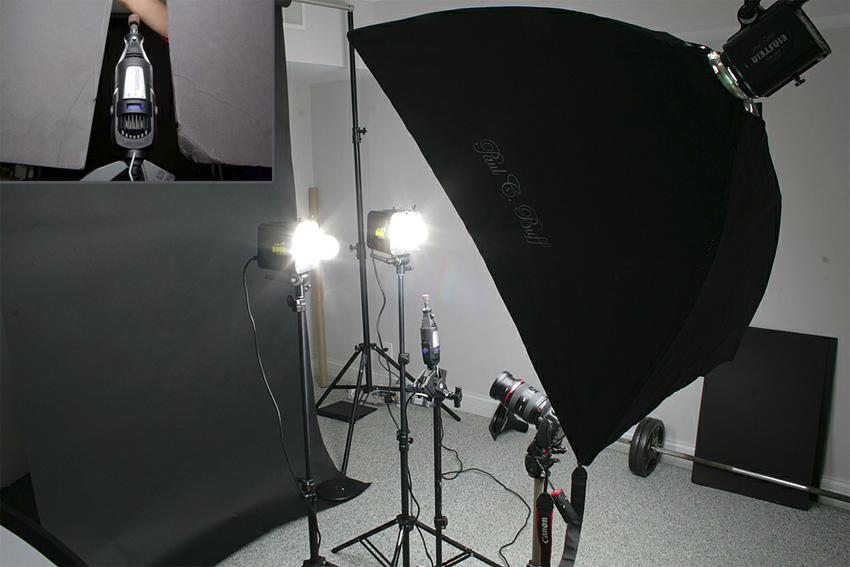
If you can’t take 7 minutes of me talking, here is a real quick snap of the general lighting setup. The only thing not reflected in the photo are the two flags which I used to block any light from the two edge lights from spilling on the lens.
The Lighting setup of the shot
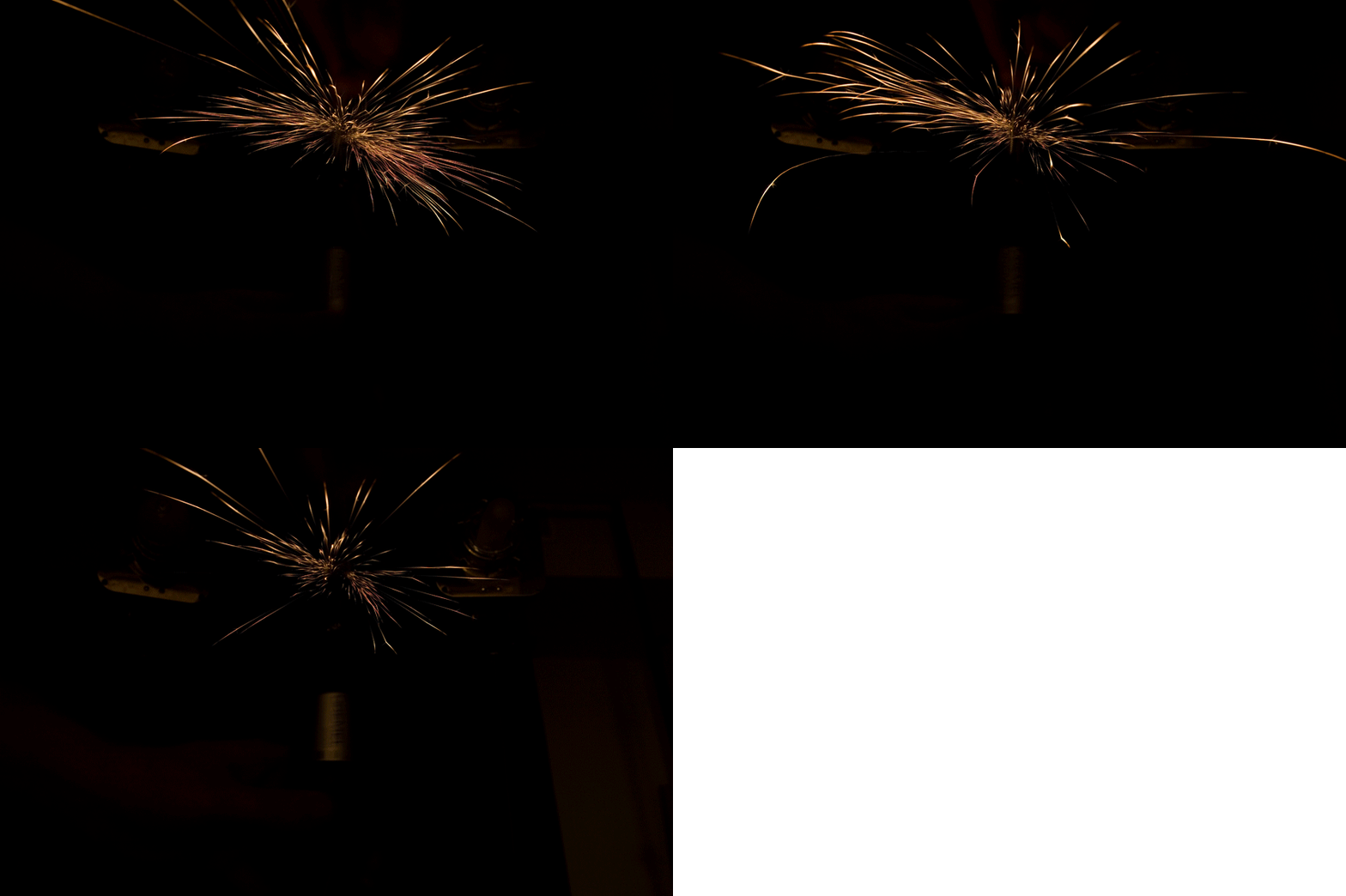
Here are three examples of some of the sparks photos as they looked straight out of camera. As you can see, none of the images had sparks that naturally formed in the shape of a spiral.
Creating the sparks
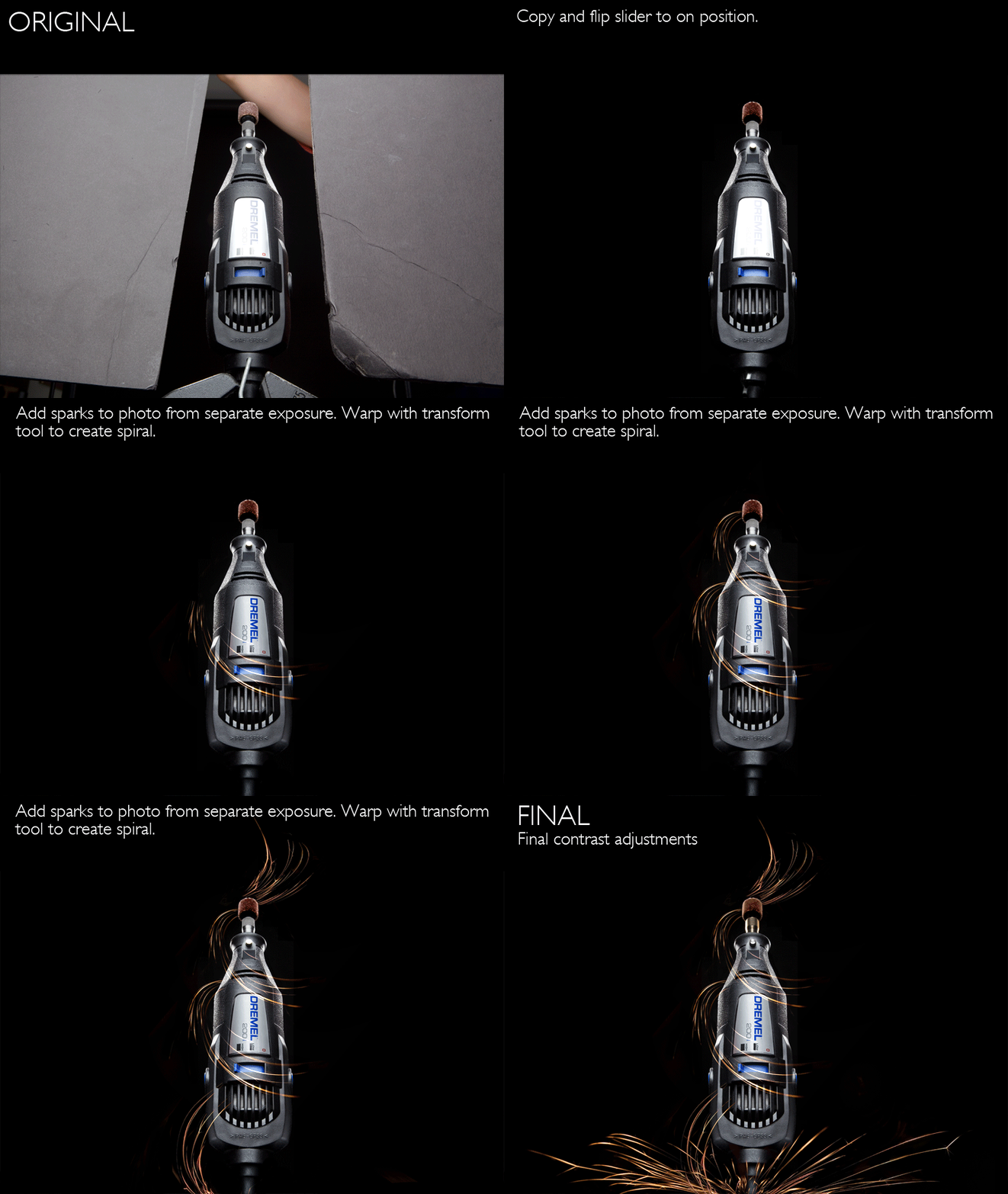
To achieve the spiral shape seen in the final photo, Photoshop was required. I used the Transform>Warp tool in Photoshop to manipulate and shape the photo into the needed curves. I then used the layer blending mode “Lighten” to overlay the sparks onto the dremel photo.
Post-Production steps
Camera Gear:
Lighting, Light Modifiers, and Accessories
(2) AlienBee B800 Studio Strobes
(1) Paul C. Buff Einstein Studio Strobe
(1) Medium Sized Paul C. Buff Softbox
(3) Cybersync Wireless Receivers & (1) Cybersync Wireless Transmitter