
Master Jewelry & Product Photography, Taught by Working Photographers
Founded in 2006, Photigy trains photographers and jewelry brands with real assignments, direct feedback and a curriculum built from studio experience, not theory.

Founded in 2006, twenty years teaching commercial photography
Founded by working photographers Alex Koloskov & Genia Larionova
Structured certification path with a personal portfolio review
30-day money-back guarantee on membership, cancel anytime


The Deepest Jewelry Photography Curriculum Online
15+ courses covering studio lighting, retouching, video and e-commerce production, built specifically for jewelry brands and the photographers who shoot for them.
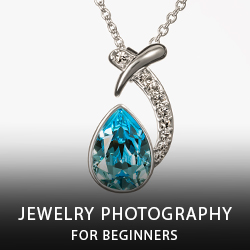
Jewelry Photography for Beginners

Luxury Jewelry Photography
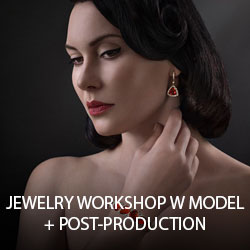
Jewelry Workshop with Model + Post-Production

360° Video Course for Jewelry

Secrets of Polarized Light in Jewelry Photography
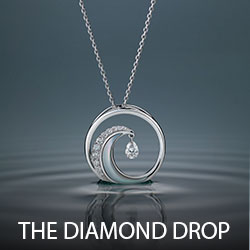
“The Diamond Drop” Creative Jewelry Photography

Jewelry Tabletop Photography + Post-Production

Luxury Jewelry Photography for E-Commerce
One School, Every Product Category
From food and beverage to zero gravity and full CGI production, Photigy covers the full range of commercial product photography.

Zero Gravity Photography
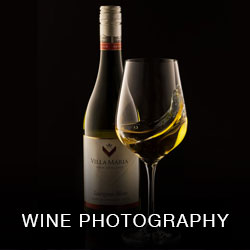
Wine Photography for Professionals

Advanced Splash Photography
Mastering Product Retouching
Learn With Working Photographers, Every Week
Courses give you the curriculum. Pro Club keeps you learning, with live access to instructors and an active community of working photographers.
Weekly live Q&A
Bring a lighting problem or a shot that isn’t working. Ask it live, get a direct answer.
Weekly photo reviews
Submit your work and get specific, practical feedback, not generic praise.
100+ workshop archive
A growing library of recorded Pro Club sessions across every genre we teach.
Student forums
Ask questions, share your setup and compare notes with other photographers in training.
Built by Photographers Who Still Shoot
Photigy was founded in 2006 by Alex Koloskov and Genia Larionova, working commercial photographers who specialize in jewelry and product photography.
Two decades later, they still teach the courses, run the Pro Club workshops and answer questions in the weekly Q&A. The curriculum comes from studio work they do themselves, not from a training department.
The same team also built NeuroViz, an AI photography platform used by jewelry brands worldwide.

Alex Koloskov
Commercial and jewelry photographer. Teaches lighting, retouching and studio production at Photigy.

Genia Larionova
Co-founded Photigy in 2006 and has helped shape its curriculum and student community since.
Get Certified in Commercial Product & Jewelry Photography
A structured path with real assignments and a personal portfolio review, for aspiring photographers, working professionals and studio teams.
Every Course. One Membership.
Full access to every course, the complete Pro Club workshop archive, weekly live Q&A and weekly photo reviews.
Monthly
- Every course, unlocked
- Full Pro Club workshop archive
- Weekly live Q&A
- Weekly photo reviews
Annual
- Everything in Monthly
- Lowest effective monthly rate
- All new courses at no extra cost
- Priority in weekly photo reviews
Forever
- Lifetime access, every course
- Personal portfolio review
- Full Pro Club workshop archive
- Weekly live Q&A
What Students Say
“You are wonderful. I wish I found Photigy years ago. I don't feel so alone any longer in my struggle with learning about jewelry photography.”

Laima Marcinkeviciute
“Let me just start off by saying you are an AWESOME TEACHER your tutorials are BOMB dude! I have learned so much from watching you it's truly awesome.”

Jeff Rzepka
“I have learned so much in such a short time, I can't imagine how much time it would have taken me to learn all I did without photigy!”

Ori Livney
Ready to Build Your Jewelry Photography Skills?
Join VIP Membership for full access to every course, the Pro Club workshop archive and weekly live feedback.