Select Page

Problem with shooting-Gold color photos

Online Courses For Product Photographers Forums Support Professional Jewelry Photography Problem with shooting-Gold color photos

 | 

Tagged: 

  • Creator
    Topic  | 
  • #86631 Reply | Report | Quote

    Wanis Sarkissian
    Participant

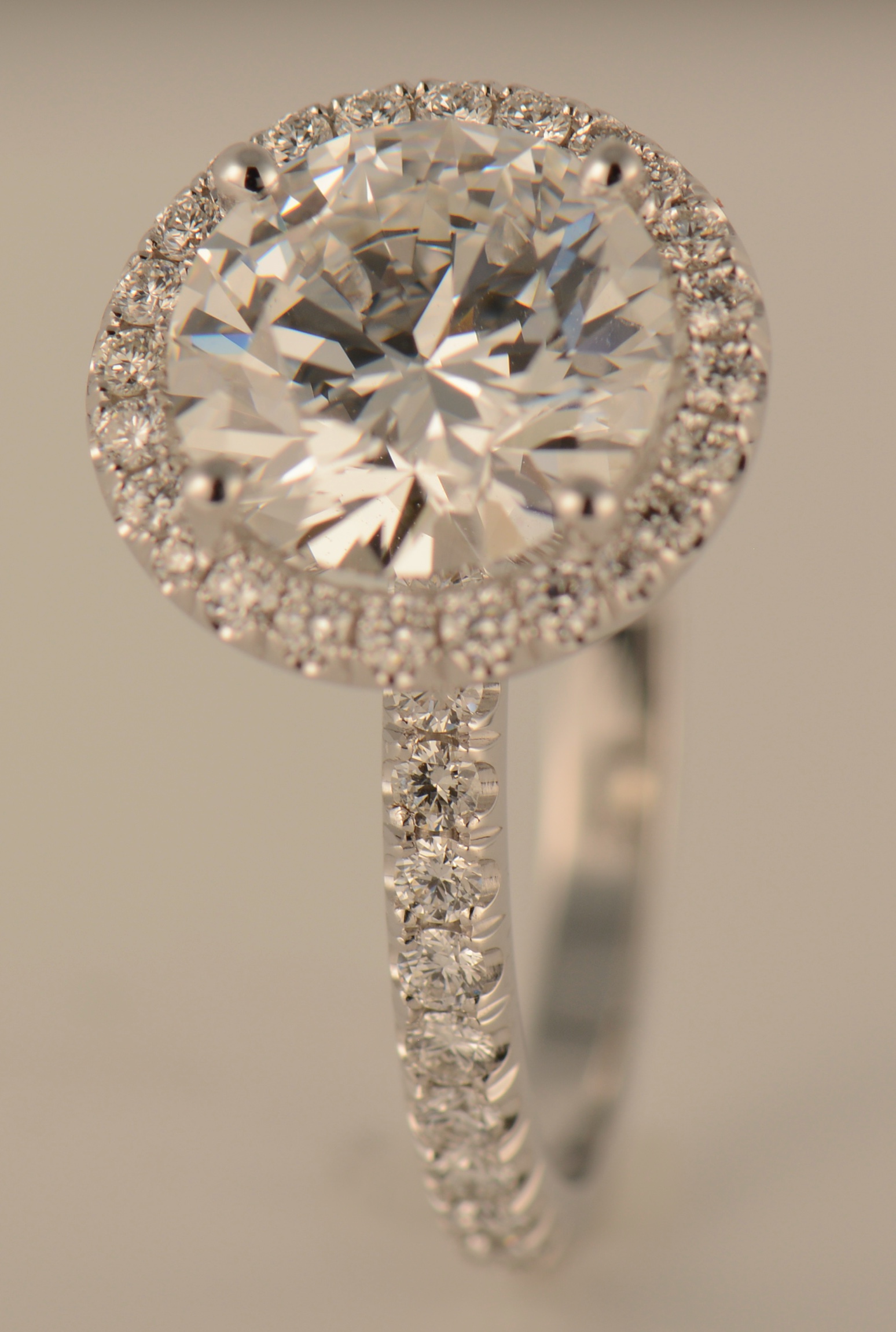
    I attache the photos about the problem that i described above.

Viewing 2 reply threads
    • #86634 Reply | Report | Quote
      Morten Eriksen
      Participant

      Hi Wanis, you need to keep the filesizes under 2mb. Thanks 🙂

    • #86638 Reply | Report | Quote
      Wanis Sarkissian
      Participant

      Ok i send than a small photo for the problem described above. Thanks

      Attachments:
    • #86642 Reply | Report | Quote
      Andrei Raileanu
      Participant

      Hi Wanis,

      Thank you for your question. I appreciate the fact that you have tried to figure it out by yourself first.

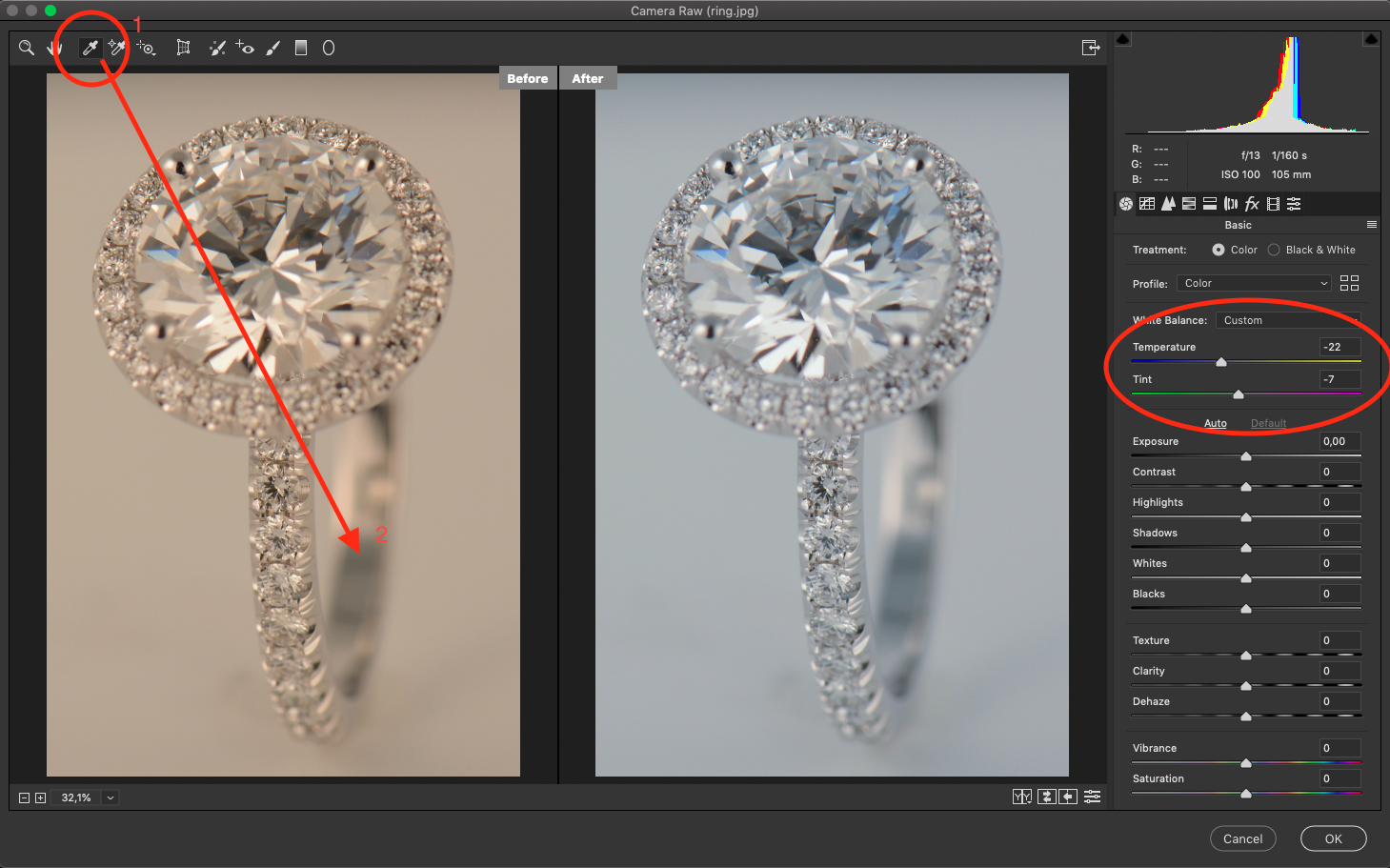
      First, I want to make sure I understand your problem correctly. I have adjusted the White Balance of the image and attached a before and after below. Is this result you were looking for? If so, the solution is the following:

      1. You need to make sure your white balance is correct. There are several ways to do this:
      1.1. Like I have shown you in the image (click one on the little drop icon – I marked it with 1- , click somewhere on the ring – I marked it with 2 – and usually this solves it).
      1.2. Manually adjust the white balance parameters (on the top right side of the image I have marked the area with a red oval)
      1.3. More complicated and not necessarily needed in this case (rings I mean) you can use a grey card and adjust the white balance with that.

      Let me know if this solves you problem or if you need additional information!!!

      Best regards,
      Andrei

Viewing 2 reply threads

BACK TO SCHOOL SALE:

Use Code “BACK2SCHOOL”

and get 50% OFF

Sale Ends In:

Days
Hours
Minutes
Seconds

Register FREE for this online workshop with Alex Koloskov and Artem Pissarevskiy