Select Page

white washed images

 | 
  • Creator
    Topic  | 
  • #88622 Reply | Report | Quote

    OZGUR YILMAZ
    Participant

    Hi

    I am trying to do background separation in order to get a white background on my jewellery ( lighting the background with a separate light source away from the subject )

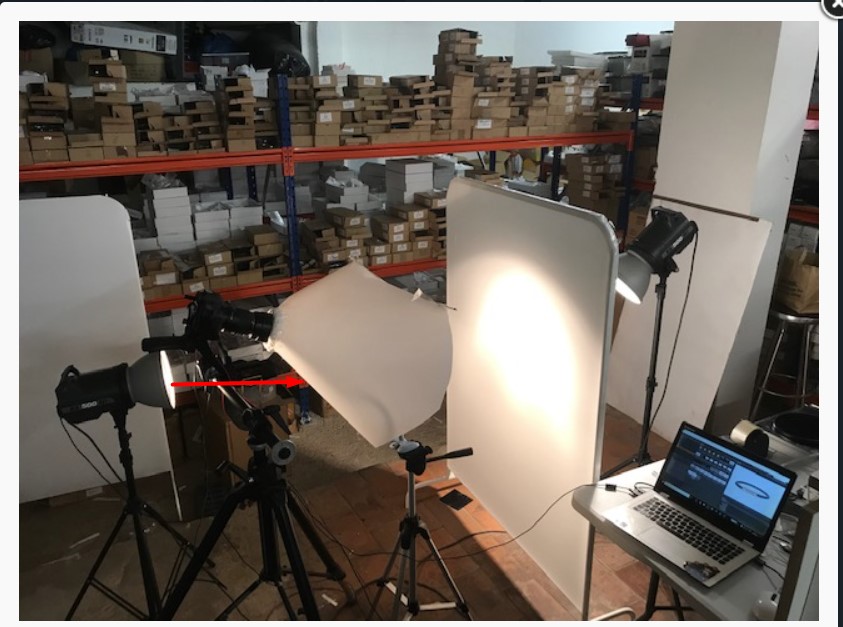
    I have made myself a shooting cone.

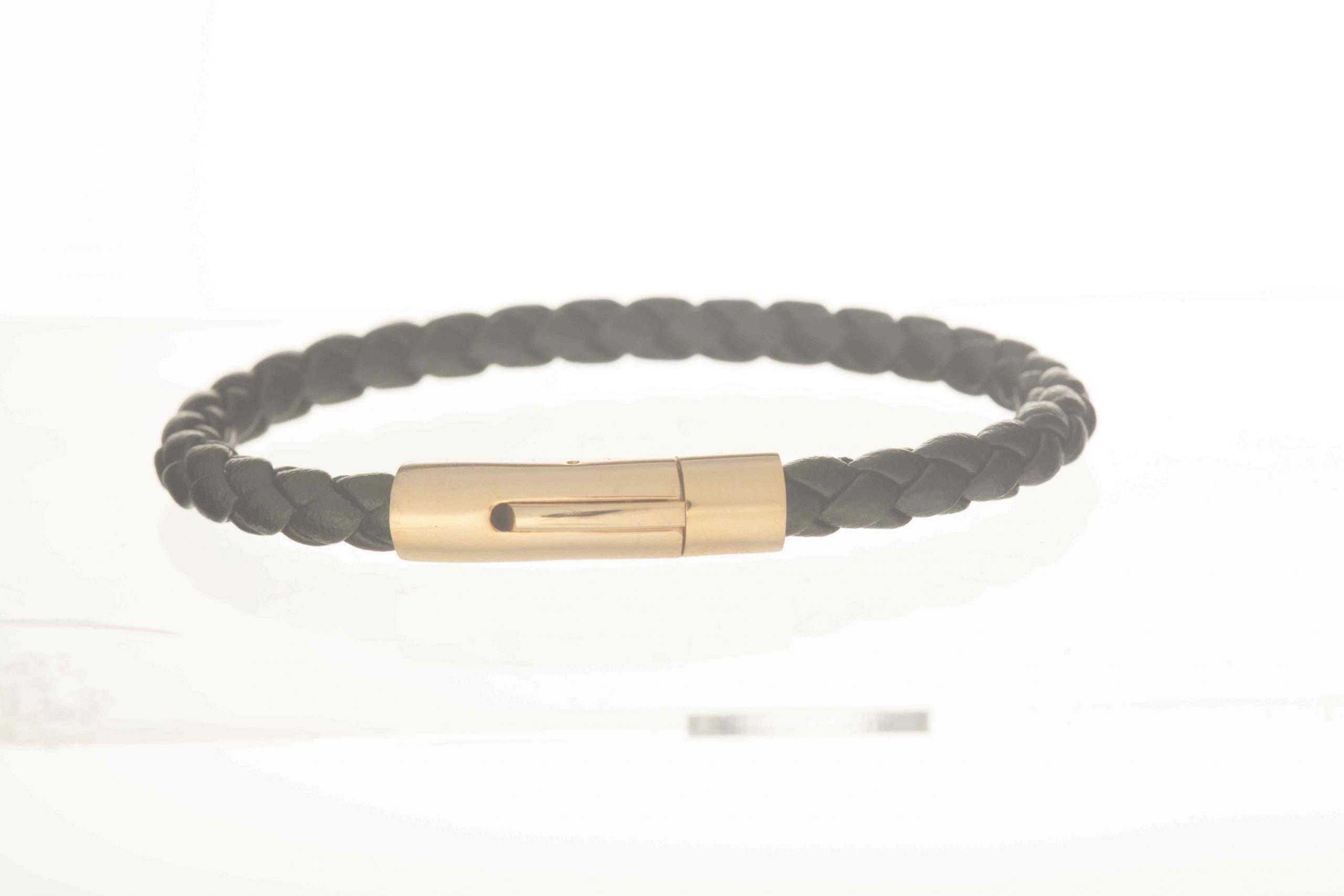
    My problem is my images look white-washed and there is no contrast.

    What do i have to do to fix this issue?

Viewing 3 reply threads
    • #88624 Reply | Report | Quote
      Andrey M
      Keymaster

      Hey Ozgur!

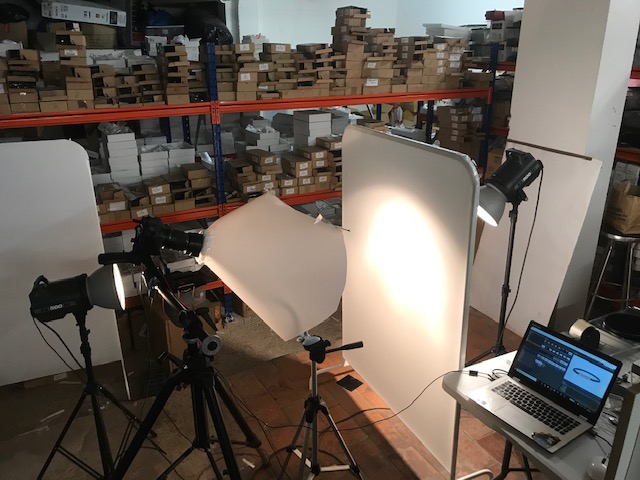
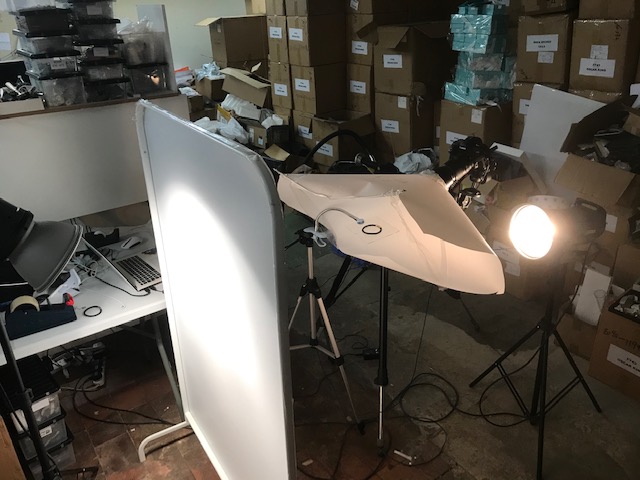
      Please attach the image you made and behind the scenes shots, so it will be much easier to resolve your problems.

    • #88628 Reply | Report | Quote
      OZGUR YILMAZ
      Participant

      Hi
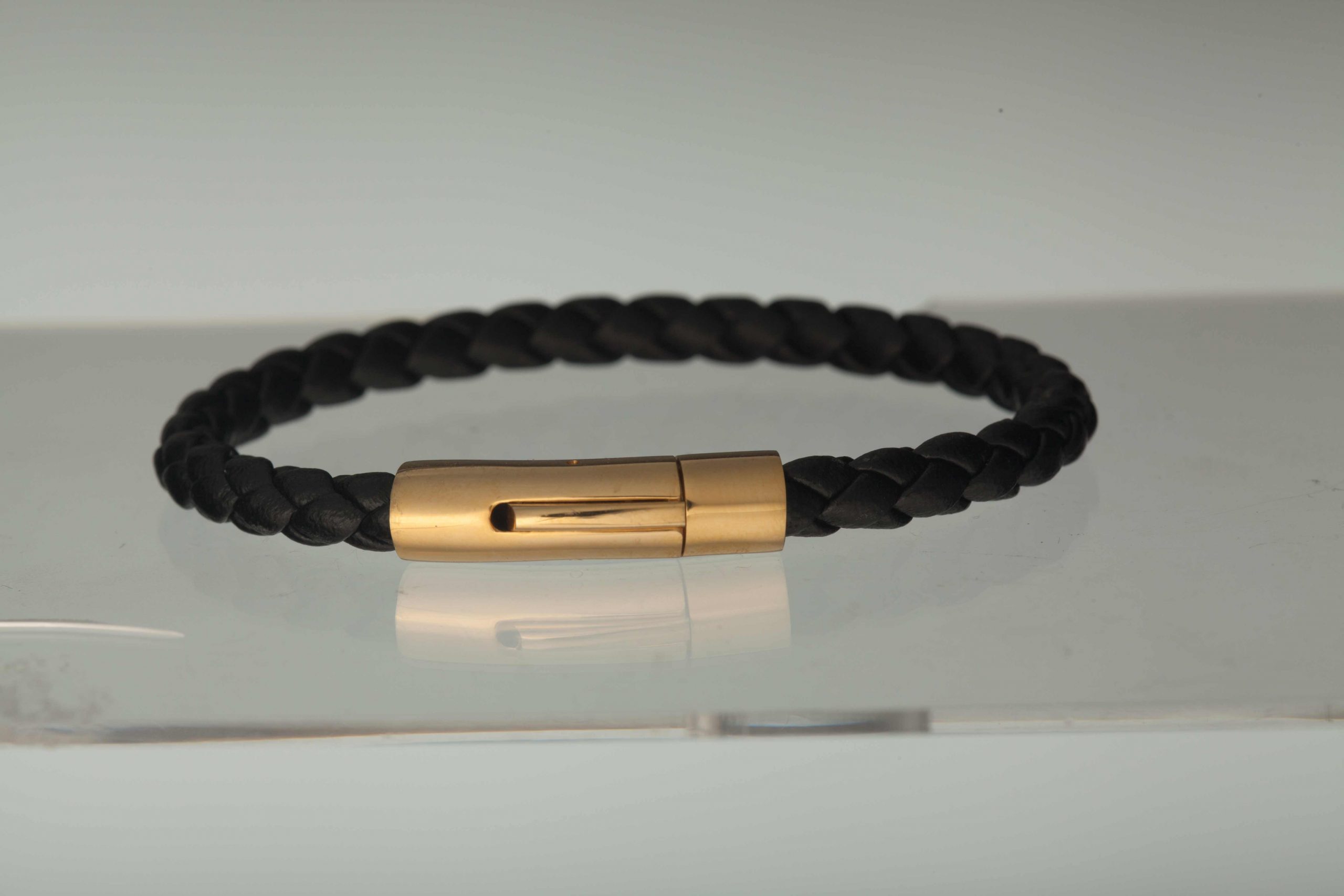
      Please see the attached images.
      Regards
      OZ

    • #88641 Reply | Report | Quote
      OZGUR YILMAZ
      Participant

      Hi. One of the images with the background light and the other image is without the background light. When the Background light is on my image looks washed out.
      If I put the power down then I don’t get the white background.
      I tried to move the Background light further away but it didn’t help. Because in order to blow out the background I have to put the power up high.
      I am stuck and Would really appreciate your help.
      Thanks a lot.

    • #88658 Reply | Report | Quote
      Andrey M
      Keymaster

      Hey Ozgur!

      You have to adjust the exposure to avoid that washed out effect. It simply happens because the power of the strobes is too high, so you have to bring it down.

      On the other hand, the second image is underexposed, especially it’s noticeable in the shadows. There’s should be something in-between those two images.

      You could also try to put that light source which is pointing to the cone a bit closer so you can control light spilling more precisely, now it just distributing light all across the studio, it also could be a potential issue.

      Also, check that your shutter speed is set to max sync speed (probably around 1/125 – 1/200, it depends on a camera though). Hop it will help! Let me know about the result!

      Best,
      Andrey

      Attachments:
Viewing 3 reply threads

BACK TO SCHOOL SALE:

Use Code “BACK2SCHOOL”

and get 50% OFF

Sale Ends In:

Days
Hours
Minutes
Seconds

Register FREE for this online workshop with Alex Koloskov and Artem Pissarevskiy